The Viral Rise of ClawdBot (OpenClaw): Why Everyone’s Talking About It
It’s not often that a personal side-project by a lone developer becomes the fastest-growing open-source project on GitHub virtually overnight, as per this LinkedIn article. Yet that’s exactly what happened with ClawdBot. In late 2025, Austrian developer Peter Steinberger open-sourced his “crusted assistant” named Clawd, initially built to help manage his digital life. Within weeks, ClawdBot (renamed MoltBot after a legal nudge from Anthropic) went viral – accumulating 40k+ stars on GitHub and drawing in thousands of users intrigued by its capabilities.
What’s the big deal? ClawdBot isn’t just another chatbot in a browser tab. It’s a persistent AI agent that runs 24/7 on your own machine and plugs into your everyday apps. Early adopters describe it as an assistant that “lives on your machine, speaks through your existing messaging apps, remembers context across conversations, and can even take actions for you”. In other words, ClawdBot aims to be everywhere you are – whether you’re on WhatsApp, Slack, Telegram, or email – quietly listening, remembering, and ready to help. This represents a shift from AI as a passive Q&A tool to AI as an active concierge in your digital life.
Some headline features that fuelled ClawdBot’s buzz include:
Always-On Availability: ClawdBot integrates with major messaging platforms (WhatsApp, Telegram, Slack, Discord, etc.), so you can chat with your AI assistant anytime, anywhere – on your phone or computer – and it’s the same assistant, with the conversation carrying over between devices. No need to open a separate app or browser; ClawdBot shows up where you already communicate.
Persistent Memory: Unlike typical chatbots that forget context after a session, ClawdBot has a memory module that “actually remembers what you told it yesterday.” Tell it your preferences or that you have a meeting next Friday, and it retains that context indefinitely. This persistent memory means your assistant can accumulate knowledge about you and your workflows over time.
The “AI That Does Things”: ClawdBot’s tagline is no exaggeration. Thanks to a library of extensible “skills,” this agent can hook into your tools and perform multi-step tasks on command. It has unrestricted access (by design) to your email, files, calendar, web browser, and even the command line. Users have taught ClawdBot to do everything from reading and drafting emails to booking flights and running shell scripts. One entrepreneur even claims to run an entire tea company through ClawdBot, delegating e-commerce tasks to the AI, while another saved $4,200 by letting ClawdBot negotiate car purchases. This isn’t just about answering questions – ClawdBot can take real action across apps, which feels almost like having a virtual executive assistant.
Proactive Outreach: In a departure from reactive assistants like Siri, ClawdBot can initiate conversations with you. It might send you a morning briefing, remind you of a task, alert you about a calendar event, or even ping you with a weather warning. Instead of waiting for your prompt, ClawdBot tries to behave like a diligent helper who anticipates needs. Early users report setting up all sorts of creative automations by simply chatting with the bot. For example, via WhatsApp chat commands, people have configured daily standup summaries, time-blocked their schedule, and even had ClawdBot research meeting participants and generate briefing documents before meetings. All of this was done conversationally, without writing code – a testament to how accessible ClawdBot’s automation can be for those willing to tinker.
Privacy and Control (In Theory): Because ClawdBot (aka OpenClaw) is self-hosted on hardware you control, it touts a “privacy-first” philosophy. Your conversations and data stay on your server or device, rather than living on a third-party cloud (aside from API calls to AI models). For power users concerned about data privacy, this is appealing: you essentially own your AI agent and can inspect its open-source code. There are no subscription fees for ClawdBot itself, and you can connect it to your existing AI model subscriptions (e.g. OpenAI or Anthropic APIs) or even local LLMs. This control and cost transparency (you might spend ~$15–40/month on API usage, similar to a ChatGPT plan) has attracted tech-savvy users who are frustrated by the limitations of closed assistants like Siri or Google Assistant.
It’s easy to see why ClawdBot’s arrival caused such a stir. In early 2026, many people are hungry for more powerful AI assistants, beyond what mainstream offerings can do. ClawdBot’s early success “previews the future of autonomous AI agents” and how they could become genuinely useful, not just gimmicky. It shows what’s possible when you give an AI continuous context and the ability to execute tasks: it starts to resemble a real digital employee. As one reviewer put it after an intensive trial, “It’s powerful... the Reddit research workflow felt like a glimpse into the future of productivity”.
However, that same reviewer followed up with a critical caveat: “But the product isn’t there yet… Clawdbot is too technical for non-developers, the latency can be frustrating, and the security implications are genuinely terrifying.” In the next sections, we’ll peel back the curtain and examine the limitations behind ClawdBot’s hype – especially for users who need a dependable meeting assistant rather than a DIY automation experiment.
What ClawdBot Does Well: A Glimpse of Next-Gen AI Assistance
Before the critique, let’s acknowledge ClawdBot’s strengths. These strengths paint a picture of what “AI 2.0” could look like and set the bar that any alternative (like Himala) must meet or exceed. Based on real analyses and hands-on reports Based on real analyses and hands-on reports, here’s what ClawdBot gets right:
Persistent, Contextual Memory
Most AI chatbots have the memory of a goldfish – they forget you as soon as the session resets. ClawdBot changes that. It maintains a long-term memory of conversations and user preferences. If you told ClawdBot last week, “Remind me to follow up with Jane after our meeting,” it will remember that instruction days later. This persistent memory is not just theoretical; it’s one of the core components of ClawdBot’s architecture long-term memory core components of ClawdBot’s architecture. The result is an assistant that feels more personal and less repetitive. You don’t have to re-explain who Jane is or what meeting you’re referring to – ClawdBot recalls context from prior chats. In practice, this means your AI agent can build on past interactions, making its support more relevant over time (much like a human assistant who learns your work style).
Multi-Platform Presence – Your AI Everywhere You Chat
ClawdBot isn’t confined to a single app or interface. It lives in your messaging apps lives in your messaging apps. Whether you’re texting on WhatsApp, chatting in Slack, or messaging on Telegram, ClawdBot can be invoked in those channels. This ubiquity is a game-changer. Instead of having to log into a special AI app, you just talk to ClawdBot like you would a colleague on your usual communication platforms. All conversations stay in sync All conversations stay in sync, so asking ClawdBot a question from your phone and later checking a response on your laptop is seamless. Early users have noted that this “same assistant, same conversation, everywhere” aspect makes the AI feel truly integrated into their daily routine truly integrated into their daily routine. You can receive a proactive reminder from ClawdBot on your phone while you’re on the go, then later at your desktop, reference that same chat thread for details.
This is exactly how we’d want an AI back office assistant to behave – always accessible, wherever work happens.
Taking Action, Not Just Chatting
Perhaps ClawdBot’s biggest selling point is its ability to execute tasks. We’re not just talking about simple calendar entries or alarms (though it can do those too) – ClawdBot can string together complex sequences of actions based on a single natural-language command. In one account, a user sent ClawdBot a voice note instructing it to do market research on Reddit and email a summary report. ClawdBot went off and returned with a comprehensive Markdown report in the user’s inbox, complete with key insights and links to relevant threads. The user marveled that the output was “actionable, accurate, and presented exactly how I’d want a product manager on my team to deliver research.”
This highlights ClawdBot’s potential as an autonomous agent. It can use “skills” (plugins for web search, email, browser automation, etc.) to achieve goals you set. Schedule a meeting, coordinate travel plans, triage incoming emails – tasks that normally require manual effort can be delegated to ClawdBot with a quick message. The agent operates continuously and doesn’t forget instructions mid-task, since it doesn’t reset between prompts. In essence, ClawdBot can function like a junior employee: you tell it what outcome you want, and it figures out how to get there, leveraging whatever tools it needs along the way. This execution-centric design – “translating executive intent into action” – is a glimpse into the future of AI assistants. It’s a critical insight that differentiates ClawdBot from simpler bots: it’s built to do the work, not just talk about the work.
Proactive Workflow Automation
Another area ClawdBot shines is in being proactive. Traditional assistants sit idle until you ask something. ClawdBot can reach out to you first, making it feel far more like a real assistant monitoring your agenda. Users have set up morning briefings where ClawdBot automatically sends a summary of the day’s meetings, tasks, and even weather updates over chat. Others have configured it to watch their inbox or Slack and alert them only when important items come up (essentially acting as a smart filter). One particularly powerful example came from a user who had ClawdBot time-block their calendar and send daily agendas, plus research meeting participants beforehand to provide a briefing doc. All of that happened without the user having to manually trigger each step – it was automated via scheduled prompts and ClawdBot’s own scheduling capabilities.
This kind of autonomous workflow means you can offload entire processes to the AI. Want a weekly report of team project updates every Friday? ClawdBot can compile and send it. Need to routinely clean up your email from spam and categorize the rest? ClawdBot can handle it, as one showcase example demonstrated (it even ordered groceries and impersonated the user in a group chat for fun. The common thread in these scenarios is that ClawdBot reduces “micro-management” of the assistant itself. Instead of you having to prompt every action, you set up rules or give general directives, and ClawdBot takes the initiative to keep things moving. For busy professionals, that proactive support is worth its weight in gold – it’s like having an assistant who doesn’t wait to be told, they just get things done.
Customization and Community-Driven Innovation
Finally, it’s worth noting that ClawdBot’s open-source nature is a strength in itself. A vibrant community has sprung up around the project (now often referred to as OpenClaw), contributing new “skills” (integrations) and sharing inventive use cases on the ClawdHub marketplace. This means ClawdBot’s capabilities are expanding rapidly. If you have a niche need – say, automating UI design research or scraping competitor websites for design inspiration – chances are someone has built or is building a skill for it. As an end user, you can benefit from this community innovation by installing these extensions. Moreover, running ClawdBot on your own hardware means you can theoretically tweak its code or configuration to your heart’s content. For developers and tinkerers, this level of deep customization is a huge draw. You’re not locked into a vendor’s feature set; you can shape the assistant to fit your workflow (provided you have the technical chops and time). The flurry of activity on GitHub and Reddit around ClawdBot suggests that its user base is actively pushing the envelope of what personal AI assistants can do.
In summary, ClawdBot’s strengths showcase the promise of AI assistants that integrate deeply with our workflows: they remember context, they are accessible across platforms, they actually perform tasks (not just chat), they proactively help us, and they can be tailored to unique needs. It’s no wonder people are excited – ClawdBot offers a vision of productivity where routine drudgery can be offloaded, and meetings might practically run themselves with an AI handling the legwork.
However, as any seasoned professional knows, a vision isn’t the same as reality. Before you run off to install ClawdBot on your system, let’s talk about the pitfalls. There are significant reasons why ClawdBot “isn’t there yet” for mainstream users, especially if you’re seeking a dependable meeting assistant.
Where ClawdBot Falls Short: Hype vs. Reality for Meeting Productivity
ClawdBot’s potential is undeniable – but so are its limitations and risks. Early adopters and security experts have raised serious concerns about the system’s practicality and safety, particularly for non-technical users or businesses that handle sensitive data. And when it comes to structured meeting workflows (preparing agendas, taking notes, managing follow-ups), ClawdBot may leave much to be desired. Let’s examine the key shortcomings:
Complex Setup and Technical Overhead
To put it bluntly, ClawdBot is not plug-and-play. Getting this “AI that does things” up and running requires a level of tech savvy that goes well beyond downloading an app. You need to provision a server or dedicate a machine (many are literally buying Mac Minis just to host it), install Docker containers, set up API keys for various services, and navigate configuration files. While there is an onboarding wizard and documentation, you’re essentially your own IT department when using ClawdBot. If something breaks, there’s no support hotline – you’ll be combing through Discord or GitHub issues to troubleshoot.
TechCrunch puts it plainly: “Installing Moltbot requires being tech savvy... If you have never heard of a VPS... you may want to wait your turn.” In other words, if the terms reverse proxy, Docker sandbox, and IP whitelisting mean nothing to you, ClawdBot could easily become a weekend-long headache. Even after installation, you’ll need to maintain it – updating the software as it changes daily, ensuring your server stays running, monitoring costs of API calls, etc. This is a far cry from a polished SaaS product where you create an account and start using an assistant in minutes. For a busy professional who just wants meeting notes and follow-ups handled, ClawdBot’s setup is a significant barrier.
Serious Security and Privacy Risks
Ironically, the same features that make ClawdBot powerful also make it dangerous if not managed with extreme care. Remember: ClawdBot is designed to have broad access – it can control your apps, see your data, and run commands on your system. If misconfigured or exploited, that’s a recipe for disaster. And unfortunately, early reports show that many users have mishandled it. Within weeks of launch, hundreds of ClawdBot servers were found exposed on the public internet, leaking API keys, chat histories, and even allowing attackers to execute commands remotely. Security researchers at Cisco dubbed it an “absolute nightmare” from a security perspective. Essentially, people eager to try ClawdBot spun it up without proper safeguards, creating open backdoors into their own digital lives.
Even if you do everything right, ClawdBot inherently breaks traditional security boundaries. It runs with high privileges (often root access) because it needs deep system integration. TechCrunch notes that “‘actually doing things’ means ‘can execute arbitrary commands on your computer’” – a chilling thought if you consider the possibility of malicious prompts. For instance, a bad actor could send you a crafted message (say on WhatsApp) that tricks ClawdBot into performing some harmful action, a scenario known as prompt injection. One investor pointed out that a simple message could potentially lead MoltBot to run dangerous commands without you realizing it. The only foolproof prevention is to run ClawdBot in a silo – e.g. an isolated VM with no sensitive data – but that defeats the purpose of having it connected to your real accounts and files.
Privacy-wise, while it’s nice that your data isn’t on a vendor’s cloud, you’re still piping potentially confidential information into third-party AI APIs (OpenAI/Anthropic) unless you use local models. And the moment your ClawdBot server is misconfigured or compromised, all that data can leak. For businesses with compliance requirements or individuals with private data, the lack of built-in security guardrails is a showstopper. In contrast, mature AI productivity tools typically offer enterprise-grade security (encryption, access controls, audit logs, etc.). ClawdBot is an alpha-stage project by comparison – its creator himself warns people that if they’re not extremely careful, “things could turn ugly fast”. Bottom line: if you plan to entrust an AI with your meeting notes, emails, and schedule, you’d better be sure that AI won’t accidentally expose or abuse them. ClawdBot gives no such comfort right now.
Lacks Structured Meeting Workflow Out-of-the-Box
While ClawdBot can be taught to do almost anything, it does not come pre-equipped to be a meeting assistant in the way that professionals might expect. For example, ClawdBot doesn’t inherently know how to join a Zoom/Teams call and transcribe it, or how to format meeting minutes, or how to track action items over multiple meetings – unless you set up those workflows via custom prompting or additional tools. No built-in “meeting mode” or template says, “this is a sales call” vs “this is a team sync” with appropriate behavior for each. In essence, ClawdBot is a generalist by design, not a meetings specialist.
Consider some of the core needs of structured meeting work: agenda preparation, note-taking, summarization, task extraction, follow-up scheduling. ClawdBot can do bits of these if prompted (for instance, you could manually ask it to summarize a transcript or draft an email). But it won’t do them automatically or consistently. One user recounted how they tried to use ClawdBot to manage their family calendar – adding events and identifying schedule conflicts – and it ended in “total chaos”. The bot placed events on wrong days (off by one, likely due to date calculation errors) and couldn’t handle recurring events properly, flooding the calendar with individual entries. The user spent significant time cleaning up the mess. This illustrates a key point: ClawdBot (via its LLM brain) has no real sense of time or structured data. It treats everything as a text prediction problem, which means it’s prone to errors with dates, times, or any detail that requires absolute precision. For meeting scheduling and tracking, that’s a big weakness.
Similarly, if you wanted ClawdBot to generate a meeting agenda or brief, you’d have to prompt it every time and provide the context. It doesn’t automatically pull in your calendar info and meeting objectives to prep you – not unless you rig up a custom routine. In contrast, dedicated meeting assistant tools focus heavily on these structured workflows (as we’ll see with himala). With ClawdBot, you’re essentially on your own to create meeting workflows from scratch. It’s a bit like being handed a powerful toolkit but no instruction manual on building the specific thing you need.
Too Technical and Unpolished for Non-Developers
Several reviewers of ClawdBot have noted that it feels very much “by developers, for developers” at this stage. The interface, such as it is, is just your chat app. There’s no slick web dashboard or UI for reviewing what the bot did, editing mistakes, or configuring settings easily. If ClawdBot creates a summary or an email draft, you’ll see it as text in chat or maybe an actual email sent to you. There’s a lack of the kind of user-friendly controls you’d expect in a professional productivity app (for example, a button to generate minutes, or a form to tweak an agenda template).
Latency is another issue – executing complex tasks can take time, and users have reported that waiting for ClawdBot’s responses (especially on coding or multi-step tasks) can be frustratingly slow. Unlike a human assistant who might say, “I’ll have that report for you by this afternoon,” ClawdBot might make you stare at a blinking cursor for minutes without knowing its progress (though some workflows can send an interim “working on it” note). For someone in a fast-paced work environment, these unpredictable delays and lack of transparency can be problematic. We’re used to real-time or near-real-time tools, and ClawdBot can feel like it lags.
Moreover, because ClawdBot can impersonate you in certain contexts (send emails as you, post messages on your behalf), there’s a psychological barrier and trust issue. The ChatPRD author noted they found themselves “constantly fighting its bias to act as me rather than for me”, as the bot would eagerly try to take initiative even to the point of drafting messages that looked like they came from the user. This can be unsettling – you want an assistant, not a doppelgänger. But ClawdBot, lacking a refined understanding of boundaries, might overstep if not carefully directed.
In short, using ClawdBot today requires a willingness to experiment and tolerate quirkiness. It’s not a turnkey solution for someone who just wants to eliminate tedious meeting admin work. The people getting the most out of it are power users willing to babysit the AI a bit, debug issues, and continuously refine their prompts. That’s not a luxury everyone has.
Uncertain Reliability and Support
ClawdBot is new (the project only went viral in late 2025), and it’s evolving rapidly. Bugs are being discovered (and fixed) on a daily basis by the community. This means two things: (a) you might encounter glitches or even serious failures while using it, and (b) features or behaviors could change as updates roll out. There’s no formal QA or release schedule like a mature product would have. Relying on ClawdBot for mission-critical tasks is, at this point, risky. Imagine your AI note-taker crashing halfway through an important client call, or your “assistant” going offline on the day of your big presentation prep – these are real possibilities given the bleeding-edge nature of the tool.
Additionally, if something goes wrong (say, ClawdBot mis-summarizes a meeting or schedules something incorrectly), you have to notice and fix it. There isn’t an accountable vendor to contact. You are effectively beta-testing an AI agent in your own workflow. For personal tinkering that’s fine. But for professional use, especially involving other stakeholders (e.g. sharing meeting notes with a team), it’s a gamble. Businesses typically prefer solutions with support contracts or at least a track record of stability.
Finally, we should mention compliance and data governance. If you work in an industry with regulations (finance, healthcare, etc.), deploying an uncontrolled AI agent that interacts with sensitive data could raise red flags. Because ClawdBot is not backed by a company, there are no compliance certifications (no SOC 2, no GDPR assurance, nothing). Again, it’s all on you to vet and manage. This is a headache most organizations won’t want to deal with, especially when alternative AI assistants exist that do provide those assurances.
Summing up ClawdBot’s shortcomings: it’s a brilliant preview of the future, but it’s currently a rough, DIY solution best suited for hobbyists and very technical users. It falls short for structured meeting use because it’s not inherently designed for that purpose (you’d have to mold it yourself), and the cost of molding – in time, effort, and risk – is high. As one LinkedIn analyst observed, ClawdBot exemplifies “shadow AI” adoption: employees grabbing a powerful new tool to boost productivity, but in doing so, potentially creating security nightmares and workflow chaos that IT leaders dread.
So, if you’re excited about ClawdBot’s capabilities but hesitate at its pitfalls, what’s the alternative? How can you get that “AI back office” benefit – particularly for meetings – without the downsides? Enter himala.
himala – The AI Meeting Assistant You Need for Real-World Productivity
ClawdBot might be the talk of the town, but himala is quietly positioning itself as the practical, smarter alternative for anyone who spends a good chunk of their week in meetings. himala is an AI-powered meeting assistant and back-office tool specifically designed to handle your meeting workflow from start to finish. Unlike the generalist ClawdBot, himala’s laser focus is on making meetings more efficient and actionable – with far less effort and risk on your part.
What is himala?
himala is a modern AI meeting assistant that automates the entire meeting lifecycle, from preparation to follow-up. Think of it as an AI chief of staff that ensures no meeting is a wasted opportunity. The product was built with a clear philosophy: meetings succeed or fail based on the context you bring and the actions you take afterward. So, Himala doesn’t stop at transcribing conversations; it actively helps you prepare before the meeting, captures everything during the meeting, and drives the follow-through after the meeting.
Crucially, himala is ready to use out-of-the-box. You don’t need to host servers or wrangle config files. It’s a polished solution (50K+ users and counting) that you can sign up for and start using within minutes. And while it’s powered by advanced AI under the hood, it’s built to be user-friendly for non-techies. In other words, himala is aiming to deliver ClawdBot’s benefits without the headaches.
Let’s break down how himala works and why it stands out as a superior AI back office and meeting assistant:
Seamless Meeting Preparation: Ever join a meeting feeling unprepared? Himala solves that by doing your homework for you. Once connected to your calendar (and optionally email and documents), Himala automatically generates a prep briefing for each upcoming meeting. This includes the meeting’s objectives, a summary of relevant past conversations or emails, and key information about the participants. The magic comes from features like meeting preparation and attendee Intel – himala will research attendees and pull in intel such as their LinkedIn bio, recent news about their company, or notes from your last interaction. Instead of you scrambling for context 5 minutes before the call, himala presents it to you on a silver platter. One user described it as showing up “fully prepared in seconds,” with all the documents and history you need in one place. This structured prep is something ClawdBot doesn’t provide natively (you would have to prompt it each time). Himala bakes it into the workflow – every meeting invite on your calendar can trigger an AI-generated briefing if you want it.
Smart Agenda and Note-Taking: During the meeting, Himala can either join as a visible participant (recording the call) or work behind the scenes via its app – your choice. While in the meeting, himala Notetaker is transcribing and, more importantly, distilling the conversation into structured notes. It’s not just raw transcription; the AI identifies key decisions, important highlights, and action items, organizing them into an easy-to-read summary. By meeting’s end, you have a coherent record that everyone can refer to. This addresses a huge pain point – 72% of meetings are deemed ineffective, often because no clear outcomes or records exist. Himala ensures every meeting yields tangible notes and tasks. And if you’re worried about having a “bot” in the meeting, himala offers a unique approach: it can capture audio from your side of the call (no need to add a strange participant). This flexibility – with or without a bot present – means you maintain control over how the meeting is perceived by others (no more “Who is this AI Note Taker that just joined?” moments, unless you’re okay with it).
Integrated Follow-Through: Perhaps the most valuable aspect is what happens after the meeting. Himala doesn’t just dump the notes on you and disappear. It actively helps with follow-up workflows. For instance, it will extract all the action items and decisions from the meeting notes, and then it can do things like draft follow-up emails (thanks to the Auto-Draft feature) to send to participants. Instead of you spending half an hour writing a recap or next steps email, Himala presents you with a pre-written draft tailored to the discussion. You can review, make any edits, and hit send – saving you time and ensuring nothing falls through the cracks. Moreover, if there are tasks assigned (like “Alice will send the sales deck” or “Bob to schedule a follow-up call”), Himala can integrate with task management tools or your calendar to schedule those and remind people. Meeting Scheduling is another built-in capability – need to book the next sync? Himala can propose times or directly schedule it, based on everyone’s calendars, without you having to manually coordinate. By automating these follow-ups and scheduling, Himala addresses the bane of post-meeting chaos. Remember, 78% of workers say meeting overload prevents them from getting work done, and much of that is due to the additional work meetings create (like sending recaps, chasing action items). Himala lifts that burden.
Contextual Continuity: One of the coolest things about Himala is how it creates a continuous narrative across your meetings. Meetings are often not isolated; the discussion in last week’s meeting sets the stage for the next one. Himala recognizes this. It treats meetings as connected threads. When you go into a recurring meeting or a follow-up call, Himala can surface the notes from the previous meeting automatically – essentially providing memory joggers so the team can pick up where they left off. It’s like having an ever-growing knowledge base of your team’s discussions that the AI can reference to avoid redundant conversations. This persistent context is similar in spirit to ClawdBot’s memory, but Himala applies it in a targeted way for meeting continuity. No more “what did we decide last time?” – Himala will remind you. And because it’s aware of other note-taking tools too, it cleverly avoids duplicating effort; for example, if someone else in the meeting is using a different note app, Himala can detect that and adjust its output to complement rather than conflict.
Task Automation & Integrations: Himala might not order your groceries or negotiate a car purchase (its scope is meetings), but within that scope, it offers plenty of automation. It integrates with your work tools – calendar, email, Slack/Teams, project management apps, CRM, etc. – to streamline meeting workflows. For example, if you connect your CRM and you’re on a sales call, Himala can log the call notes and next steps directly into the CRM under that lead or account (ensuring your pipeline is updated without manual data entry). For team meetings, it can push tasks into your project management board (Trello, Asana, etc.) so that decisions in the meeting become tracked to-dos. The philosophy is: meetings don’t exist in a vacuum; they generate work and information that needs to flow to other systems. Himala’s integrations enable that flow. By contrast, with ClawdBot, you would have to set up custom scripts or skills to achieve similar linkage, whereas Himala has native support for many common apps. This translates to saved time and fewer mistakes (no forgetting to create that Jira ticket from the meeting discussion – Himala can do it as part of its follow-up).
User-Friendly and Reliable: From a user experience perspective, himala is built to be straightforward. There are clear UI elements for each function – e.g., you can click to generate an agenda, or tap to summarize the last meeting. It also provides a dashboard where all your past meeting notes, transcripts, and action items are organized and searchable (so your knowledge base grows automatically). You don’t need to converse with Himala in a chat interface (though you can ask it questions about past meetings in natural language if you want – e.g., “What decision did we make about Project X last week?” – and it will answer from the notes). The key is accessibility for all team members, not just the tech whiz. Everyone, from a salesperson to a project manager, can benefit without a learning curve. And importantly, because it’s a mature product, security and privacy are handled professionally. Your data is likely encrypted, stored safely, and not exposed on random servers. You sign in to a secure app, and the AI runs within that managed environment. No root access to your machine needed, no risky port forwarding, none of the “Wild West” configuration that ClawdBot entails. Himala’s reliability means you can trust it to be there every meeting, capturing info accurately (it boasts 90%+ transcription accuracy as a baseline), and you have support to contact if something goes wrong.
To sum it up, himala is purpose-built to be an AI back office for meetings. It combines many of the aspirational benefits of ClawdBot (context memory, taking action, integration) with the polish of a product that understands meeting workflows deeply. As a result, you get an assistant that actually makes your meetings smarter and your life easier, without needing to babysit the AI or worry about it running amok.
But how do these two compare directly? Let’s do a side-by-side look at ClawdBot vs. Himala across key dimensions that matter to anyone seeking a meeting and productivity assistant.
ClawdBot vs Himala: Key Differences in Meeting Assistant Capabilities
It’s time for a direct comparison. If you’re evaluating ClawdBot and himala, here’s how they stack up in critical areas:
Meeting Preparation and Real-Time Assistance
ClawdBot: Offers no built-in meeting prep tools. You can manually prompt ClawdBot to gather info (e.g., “ClawdBot, find info about Company X and person Y before my meeting”), but it won’t automatically prepare agendas or briefs. ClawdBot can join chat channels but not conference calls in a native way – you’d have to feed it transcripts if you wanted live note-taking. Some users rigged it to provide morning agendas or briefings by custom scripts, but again, this is DIY. In live meetings, ClawdBot isn’t designed to record or transcribe by default (unless you integrate a transcription service). Essentially, ClawdBot can assist with meetings if you explicitly ask it each time, but it’s not a turnkey meeting assistant. It also struggled with scheduling accuracy when put to the test, as seen when it mis-booked calendar events by a day.
himala: Designed to be your meeting sidekick from the moment a meeting is scheduled. It auto-creates meeting briefs and suggested agendas with no prompt needed – leveraging your calendar info and historical data. When meeting time comes, Himala can join and take notes or even work through your device to capture everything subtly. It provides real-time transcription if desired, and highlights key points as they occur. If you’re in a meeting and need info (“What’s our sales figure from last quarter?”), you can ask Himala and it will fetch it from your connected data. In short, himala is a true meeting assistant: it prepares you before the call, supports you during the call, and organizes outcomes after the call. This end-to-end presence in the meeting process is not something ClawdBot delivers out-of-the-box.
Task Automation and Workflow Integration
ClawdBot: Excels at general task automation. It can do a wide variety of actions if you set it up – send emails, manipulate files, query websites, run scripts. In a personal workflow, it’s great for one-off tasks you delegate via chat. However, these automations are largely ad-hoc. ClawdBot doesn’t inherently know, for example, that after a meeting it should email participants or update a Trello board, unless you instruct it to. You can certainly create a workflow by chaining commands (ClawdBot’s flexibility allows multi-step sequences), but you define that each time or via custom skills. Moreover, ClawdBot’s “skills” integration requires finding/adding the right extension and ensuring it works with your setup. So, while ClawdBot can automate tasks in theory (even beyond meetings), in practice it’s a bit of a blank slate – extremely powerful, but you have to program the “when” and “how” for each automation.
himala: Focuses on meeting-related automation, and it’s largely pre-configured. The moment a meeting is done, himala’s workflow might automatically generate a summary, email it to attendees, create follow-up tasks, and schedule the next check-in if appropriate. These things happen with minimal user intervention (perhaps just a confirmation click). Himala’s integration with tools means it can do things like log meeting notes to your CRM or send a Slack message to the team channel with a recap – without you writing a single prompt. You can think of it as having built-in “plays” or recipes for common needs: e.g., after a sales call, push notes to Salesforce; after a team meeting, update the project plan and assign tasks; after an interview, send structured feedback forms, etc. All that is automated in the background once you enable the relevant integration. Himala also handles meeting scheduling tasks: it can analyze calendars to find open slots and propose times, or even handle the back-and-forth of scheduling via email. ClawdBot attempted scheduling in one user story and made a mess that had to be cleaned up manually. himala, on the other hand, is built on calendar integration best practices (it won’t double-book you or mess up time zones). Overall, for workflow automation that’s tied to meetings and follow-ups, Himala is the clear winner, as it requires little effort to yield big time savings.
Contextual Memory and Knowledge Retention
ClawdBot: One of its bragging rights is persistent memory – it will remember the context of past chats and instructions. If you’re always interacting with ClawdBot in the same chat thread, it builds up a memory of that conversation. This is great for continuity in that chat, but it’s unstructured. ClawdBot doesn’t automatically summarize or organize what it remembers; it just has a long context window and a vector memory store. Another limitation: ClawdBot’s memory is typically private to you – it’s not easily shareable knowledge. For example, if your colleague also had a ClawdBot, it wouldn’t automatically have the context of what yours knows (unless you explicitly share data). In a team meeting scenario, ClawdBot’s memory of prior events is only accessible if the chat thread contains it or if you feed it notes from before. So yes, it retains context, but leveraging that context in a new situation still requires prompting.
Himala: Treats context as a first-class citizen in a collaborative sense. Meeting summaries, decisions, and tasks are stored in a structured way and tied to your calendar events. So when the next meeting on Project X comes around, himala proactively surfaces the relevant context from previous meetings – you don’t even have to ask. This is huge for continuity. It’s like having a team memory. If someone missed the last meeting, Himala’s notes ensure they can catch up quickly. Moreover, because all notes are organized in the Himala dashboard, you can search across all past meetings for information (e.g., “when was budget approved?” will pull up the meeting where that happened). The context isn’t just persistent, it’s organized and accessible. Himala can also incorporate context from outside the meetings. For instance, it might pull in a relevant email thread or document into the meeting prep because it knows it pertains to the agenda – giving you situational awareness that ClawdBot wouldn’t have unless you explicitly provided those inputs. In short, Himala provides contextual memory that is tailored to meetings and collaborative use, whereas ClawdBot provides raw memory that is general-purpose and user-specific.
Follow-Up Workflows and Accountability
ClawdBot: If told, ClawdBot can certainly send a follow-up email or set a reminder. But it has to be told. It doesn’t inherently know who attended a meeting or who needs to be followed up with (unless, say, you fed it the attendee list and instructed an action). ClawdBot doesn’t produce “action item lists” on its own initiative – you would have to ask it to summarize action items from a transcript. Even then, turning those into actual tasks or calendar reminders is another step you must prompt. There’s also a risk with ClawdBot doing follow-ups: as mentioned, it might try to impersonate you too directly. If not carefully guided, it could draft an email and even send it if it has your email access – perhaps not exactly in the tone or detail you wanted. The user stories suggest a need to supervise ClawdBot’s follow-up outputs closely, or else you might end up with awkward situations (like an email that sounds off, or messages sent at odd times). So while ClawdBot is capable of driving follow-ups, it’s a manual, case-by-case use. It won’t hold you accountable either – if you ignore a task, ClawdBot isn’t going to nag you by itself (unless you created a rule for that).
himala: Built to ensure meeting outcomes don’t vanish into the void. After every meeting, you’ll have a clear list of action items with owners and due dates (if mentioned). himala can sync these with task management systems or at least list them in the follow-up email recap. It provides a measure of accountability by keeping these action items visible. If integrated with your tools, it can remind the person responsible as the due date nears (e.g., sending a Slack reminder or email saying “Hey, Task X from last week’s meeting is due tomorrow”). Also, when the next meeting on that topic happens, himala can automatically check off which tasks were done and which are outstanding, since it carries the context forward. This kind of follow-up loop means that agreements and assignments from meetings are much more likely to be completed – a huge boon for productivity, considering 76% of employees feel drained on meeting-heavy days often because those meetings generate extra work. himala lightens that load by managing the follow-up process. And all the while, you remain in control: you review drafts before they go out, you configure how reminders are sent, etc., through the UI. It’s like having a project coordinator combined with an executive assistant, specifically focused on what happens after the meeting ends. ClawdBot simply doesn’t offer that level of guided follow-up workflow without serious custom effort on your part.
Privacy, Security, and Reliability
ClawdBot: Self-hosted means you have control, but as we explored, that comes with major security caveats. Your data might stay on your machine, but if you slip up in configuration, it could also be exposed to the internet. ClawdBot’s need for broad permissions is inherently risky – it’s like giving someone the keys to your house so they can water the plants; if they copy your keys, you’d never know. Reliability-wise, ClawdBot is only as stable as the environment you run it in. If your server goes down or your internet hiccups, ClawdBot goes offline. There’s no guaranteed uptime. Also, because it’s new, there are likely undiscovered bugs or edge cases that could cause it to crash or behave unexpectedly. And remember, ClawdBot’s code is open but not audited by enterprise security teams – vulnerabilities can and did exist (as evidenced by the exposed instances). Using it in a corporate setting would be a hard sell to any IT department right now.
himala: As a professionally developed platform, himala prioritizes security and reliability as part of the service. You don’t run it yourself; it’s a cloud service (or app) managed by the Himala team, which means they handle uptime, backups, and security patches. Communications between himala and your calendars/emails are likely encrypted via OAuth and APIs (so you’re not sharing passwords, just authorizing access in a controlled manner). There’s also presumably compliance in place – for instance, if you’re in the EU, they likely comply with GDPR for data handling. If himala integrates with your work systems, it does so via official integration points, not by storing your credentials in plain text on a server. The “privacy first” aspect is approached differently: rather than “you host it to be private,” it’s “you trust a vendor that stakes its reputation on protecting your data.” Additionally, with no need for root access or running arbitrary commands, the scope of what the AI can do is contained to its meeting assistant role, reducing the risk of something like a prompt injection causing havoc.
When it comes to reliability, Himala as a service will have redundancies – if one server fails, another takes over. And if there’s an issue, you have a support channel to reach out to. Essentially, himala offers enterprise-grade reliability, which is crucial if you’re going to depend on it for every meeting. You can focus on your work, not on keeping the AI online.
Finally, consider trust and transparency. In a meeting, trust is important – if an AI is summarizing a client call, you need to trust it’s accurate. Himala’s narrow focus and development allow for fine-tuning on meeting data, likely making it quite accurate in identifying key points (and if it errs, the error is usually one of omission or minor detail, not something that could, say, execute a wrong command). ClawdBot’s general LLM might mis-summarize or hallucinate if not carefully prompted because it doesn’t truly “know” the context beyond the text it sees. So, in terms of trusting the output: with Himala you get a system refined for notes and actions; with ClawdBot you get a jack-of-all-trades that might not always hit the mark on meeting minutiae.
In summary, for someone evaluating which tool to rely on as an AI back office assistant, Himala checks the boxes that ClawdBot cannot yet fill: it’s user-friendly, secure, reliable, and tailor-made for maximizing meeting productivity. ClawdBot is exciting and extremely powerful in the right hands, but it’s not the right tool for everyone, especially if your goal is better meetings with minimal fuss.
Real-World Use Cases: How Himala Elevates Your Meetings (and Workloads)
To bring the comparison home, let’s look at concrete scenarios where an AI meeting assistant shines and how Himala is built to deliver value immediately in those contexts (with no coding or configuring required on your part). These are the kinds of use cases where teams are already deploying Himala to great effect:
Team Syncs and Planning: For regular team meetings or project sync-ups, Himala ensures everyone is prepared and that outcomes are tracked. It pulls in your project docs and status updates into the Team Syncs and Planning meeting prep, so you start each meeting on the same page. During the meeting, it notes decisions and who’s responsible for what. After the meeting, tasks get logged and assigned automatically. Instead of someone frantically scribbling notes or, worse, everyone leaving with a different understanding of next steps, Himala creates a single source of truth. The result? Fewer meetings that retread old ground, and more progress between meetings.
Sales and Customer Calls: In sales, relationships and follow-ups are everything. Sales and Customer Calls are a perfect playground for Himala’s talents. Before a client call, Himala briefs you on the client’s background, deal history, and any past call notes (so you never ask the client something you should already know). It can even suggest upsell opportunities or topics based on past conversations. During the call, you focus on the rapport while Himala captures the details – pain points the client mentioned, product questions, etc. Afterwards, all those details are summarized and can be pushed to your CRM or emailed as a recap to the client. You’ll never forget to send a follow-up document or quote, because Himala will list it as an action item. Sales teams using AI note-takers like Himala often report less admin work logging calls and more time actually selling, which directly impacts revenue.
Hiring and Interviews: Anyone who’s been on hiring panels knows how quickly interview notes can pile up (or get lost). With Hiring and Interviews, Himala helps standardize the process. It can generate a brief on each candidate (resume highlights, LinkedIn info) so interviewers are prepared with context. During the interview (whether it’s on Zoom or in-person with a recording device), Himala transcribes everything said, allowing the interviewer to focus on the conversation rather than furious note-taking. Post-interview, it produces a clean transcript and summary of the candidate’s answers, which can be shared with the hiring committee. It even highlights candidate sentiments or red flags if any. This ensures every interviewer has accurate info, and decisions can be made on real data rather than hazy recollections. Plus, bias is reduced when you have the factual record to refer to. Trying to do this with ClawdBot would be possible (you could transcribe audio with a skill and then prompt a summary), but that’s a multi-step manual effort that Himala does in one click.
Educating and Learning Sessions: In webinars, training sessions, or classes, an AI assistant like Himala is a boon. For Educating and Learning Sessions, imagine you’re running a recurring training for new hires. Himala can capture each session’s Q&A, so you build an FAQ over time. It prepares a summary of the previous session to start the next one with a recap (reinforcing learning). If someone misses a session, the notes are there for them to catch up. It can also track which topics caused the most confusion (based on questions asked) to improve the training material. For students, it could summarize lecture recordings into study notes. The structured approach ensures that learning is reinforced and knowledge is documented.
Product and User Research: When conducting user research interviews or product feedback sessions, the volume of qualitative data can be overwhelming. Product and User Research meetings benefit from Himala by having every user interview transcribed and summarized. Patterns and insights are automatically highlighted – for example, if multiple users mention a similar pain point, Himala can flag that as a common theme. It also keeps a repository of all research sessions, so product managers can query, “How many users asked for feature Y?” and get an answer drawn from the transcripts. Linking notes to research objectives, it ensures that no insight gets lost. ClawdBot could potentially assist in research (one person used it to analyze Reddit feedback), but organizing dozens of interview notes is far simpler with a purpose-built system. Himala provides that structure, whereas with ClawdBot, you’d be juggling files and manual prompts to glean the same insights.
In all these cases, the pattern is clear: Himala is delivering workflow-specific value with minimal user effort. It’s leveraging AI in targeted ways to reduce busywork and improve the quality of output (be it notes, decisions, or analysis). ClawdBot, by contrast, would require a manual setup for each scenario – effectively, you would have to play the role of the product designer to instruct ClawdBot on how to handle each use case.
The beauty of Himala is that it was born out of observing these real-world needs (meeting overload, coordination chaos, information silos) and solving them directly. That’s why high-performing teams looking to combat meeting fatigue are turning to tools like Himala. And speaking of meeting fatigue: let’s not forget the context we’re operating in.
Employees now spend on average 392 hours per year in meetings – roughly ten full workweeks – and 72% of those meetings are rated ineffective. This is the crisis point we’re at in 2026: back-to-back meetings eating our schedules, often without clear benefit. The only way out is to make meetings smarter and more efficient. AI assistants can play a huge role here by cutting down preparation and follow-up time and by ensuring meetings have clear outcomes. ClawdBot’s buzz shows people are desperately seeking such solutions, but as we’ve argued, it’s not the ideal fix for this particular problem.
Conclusion: ClawdBot Hype vs. Himala Reality – Choosing the Smarter Path
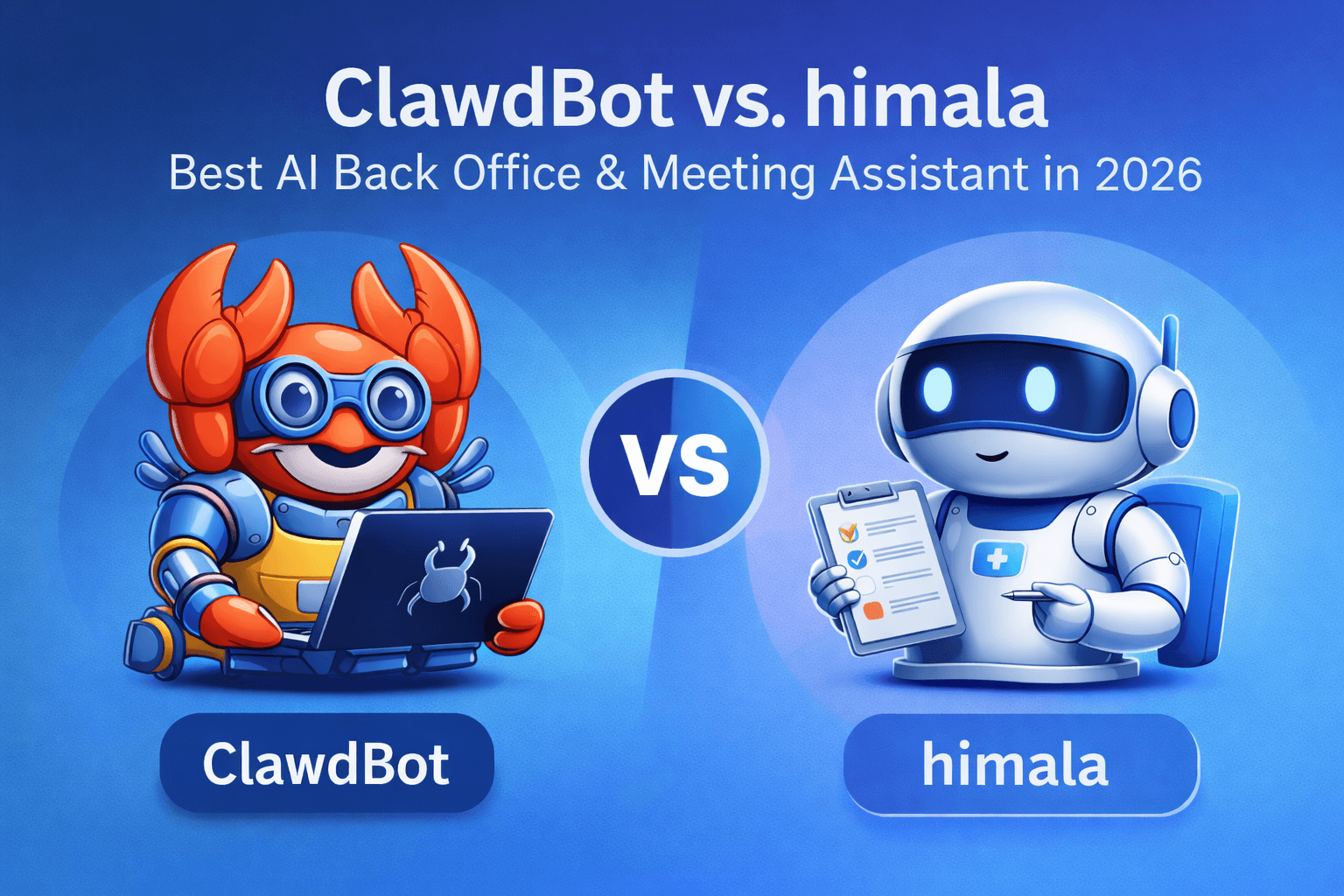
The excitement around ClawdBot/MoltBot is a sign of the times. We’re in an era where AI advancements are enabling things we only dreamed about a few years ago: an assistant that can actually handle complex tasks, remember our context, and coordinate our digital lives. ClawdBot has become the poster child of this new wave, inspiring think-pieces and experiment after experiment. Its lobster-themed mascot might even go down in tech history as the quirky symbol of AI’s coming-of-age in personal productivity.
However, as with any hype cycle, it’s important to separate the sizzle from the steak. ClawdBot offers a tantalizing vision, but when you’re a professional with deadlines, clients, and countless meetings, you need solutions that work reliably and safely today. This is where Himala shines as the more mature, immediately beneficial choice for an AI back office assistant.
Feature | ClawdBot (OpenClaw) | himala |
|---|---|---|
Meeting Preparation | Manual prompts required for prep | Automatic briefings with agenda, docs, and context |
Live Meeting Notes | Needs integration with third-party tools | Built-in AI notetaker with summaries, action items |
Follow-Up Automation | Manual scripting or prompting | Auto-drafted emails, task tracking, and next-meeting prep |
Ease of Setup | Requires self-hosting, config, and API setup | Ready-to-use SaaS product, no setup required |
Security & Reliability | High risk if misconfigured, no support | Encrypted, privacy-first, with uptime and support |
User Type Fit | Developers and tinkerers | Professionals and teams focused on meeting productivity |
Platform Maturity | Community-driven, evolving rapidly | Production-grade with structured workflows |
Cost Structure | Free (self-hosted), but time- and risk-intensive | Transparent pricing with value-focused features |
Let’s recap the key takeaways:
ClawdBot is a powerful prototype of what AI agents can do. It’s great for tech enthusiasts who want to push boundaries and don’t mind the rough edges. It demonstrated that an “AI that does things” can save time and even money (as some early users proved). But it also highlighted the significant risks and effort involved – technical setup, potential security pitfalls, and a lack of focus on any one domain (meetings included). As one tech journalist advised business leaders: when it comes to ClawdBot/MoltBot, “Wait. Watch. Learn from early adopters… Let enterprise alternatives emerge with proper authentication, audit trails, and support.”. In many ways, himala is exactly that kind of enterprise-ready alternative in the meeting space.
Himala is built for the way you work, especially if your work revolves around meetings. It provides structured support at every phase: before (prep and context), during (note-taking and participation), and after (summaries, tasks, follow-ups). It integrates with your ecosystem smoothly, and it doesn’t require you to be a programmer to benefit. Importantly, it addresses the core pain points behind meeting fatigue and inefficiency. Automating note-taking, it gives you back your attention in the meeting. Automating follow-ups, it gives you back time after the meeting. And by optimizing preparation, it ensures your next meeting is more effective than the last. These are tangible quality-of-life improvements for any professional or team.
Safety and trust are non-negotiable in a work assistant. Himala operates within a framework where you can trust it with your data (under agreed terms and safeguards) and trust it to behave predictably. ClawdBot, at this stage, asks for a lot of trust without offering much accountability – a risky proposition when your calendar and inbox are at stake. With Himala, you’re leveraging AI under the guidance of a company whose success hinges on delivering value securely to its users. That alignment of interest is important.
Meeting overload is a real, documented problem – as we cited, employees are losing weeks to meetings and feeling burnt out. Adopting an AI meeting assistant is not just a nice-to-have gimmick; it’s fast becoming a necessity for organizations that want to reclaim productivity. But you need the right AI assistant. One that actually reduces the load, not adds to it. One that team members will adopt willingly because it feels like a help, not a science project. Himala’s focus on usability and clear ROI (notes, time saved, better outcomes) means it can get broad buy-in. ClawdBot, while exciting, might only be championed by a few power users and met with confusion or concern by others.
In closing, riding the ClawdBot hype can be fun – it’s okay to be excited about what it represents. But when it comes down to getting real work done, especially in the arena of meetings and knowledge work, himala is the smarter choice to actually implement. It’s the difference between experimenting on the bleeding edge versus equipping yourself with a battle-tested tool that starts delivering value on Day 1.
Your time is valuable. Your meetings cost too much (in time and money) to let them be run haphazardly. An AI back office assistant should reduce friction, not create new kinds. That’s why we built Himala – to be the practical, empowering solution for people who don’t want to fiddle with prompts and servers, but simply want to meet smarter and work better.
The bottom line: ClawdBot may be the flashy sports car in the AI showroom, but Himala is the dependable, high-performance vehicle that’s built for the long journey of everyday work. When it comes to managing your meetings and beyond, Himala is ready to drive with you today – no hype needed.